
How to Recover an Instagram Account Disabled for No Reason
Last updated: November 2026
If Instagram disabled your account for no clear reason, its automated systems almost certainly flagged it for a perceived violation of the platform's rules. Your main option is to submit an appeal through Instagram's official process, providing accurate information to verify your identity.
A disabled Instagram account is one that Instagram makes temporarily inaccessible and hides from public view, but its data still exists and can potentially be recovered through an appeal. Losing access this way is common, as Instagram's moderation relies heavily on algorithms that can misinterpret content or account activity. An account disabled by the platform is not permanently lost, but recovering it requires a specific, step-by-step approach. This guide details the appeal process, why it can fail, and alternative routes for high-value accounts.
Why Instagram Disables Accounts Without Warning
Automated enforcement is the typical reason Instagram disables an account without a clear warning. The platform's systems scan for patterns that match violations of its Community Guidelines or Terms of Use. While these systems operate at a massive scale, they are prone to false positives. For example, Meta reports that its enforcement is over 87% correct on Instagram, which still implies millions of incorrect actions given the volume.
Key triggers for automated disabling include:
- Unusual Login Activity: Logging in from a new location or device, especially via a VPN, can be mistaken for a hacking attempt, triggering a disablement for security reasons.
- Aggressive Follow/Like/Comment Behavior: Actions that mimic bot activity, such as rapidly following or unfollowing many accounts, can trigger spam filters.
- Third-Party App Violations: Granting access to apps that violate Instagram's API terms (e.g., apps promising followers or auto-posters) can cause your account to be penalized.
- Association with Banned Accounts: If you use the same device, IP address, or email to log into an account that was previously banned, Instagram may disable your current account by association.
Instagram's initial disabling action is algorithmic; a human does not review it. Your appeal is your first chance to have a person review the context of your account and its content.
Official Appeal vs. Third-Party Services: A Comparison
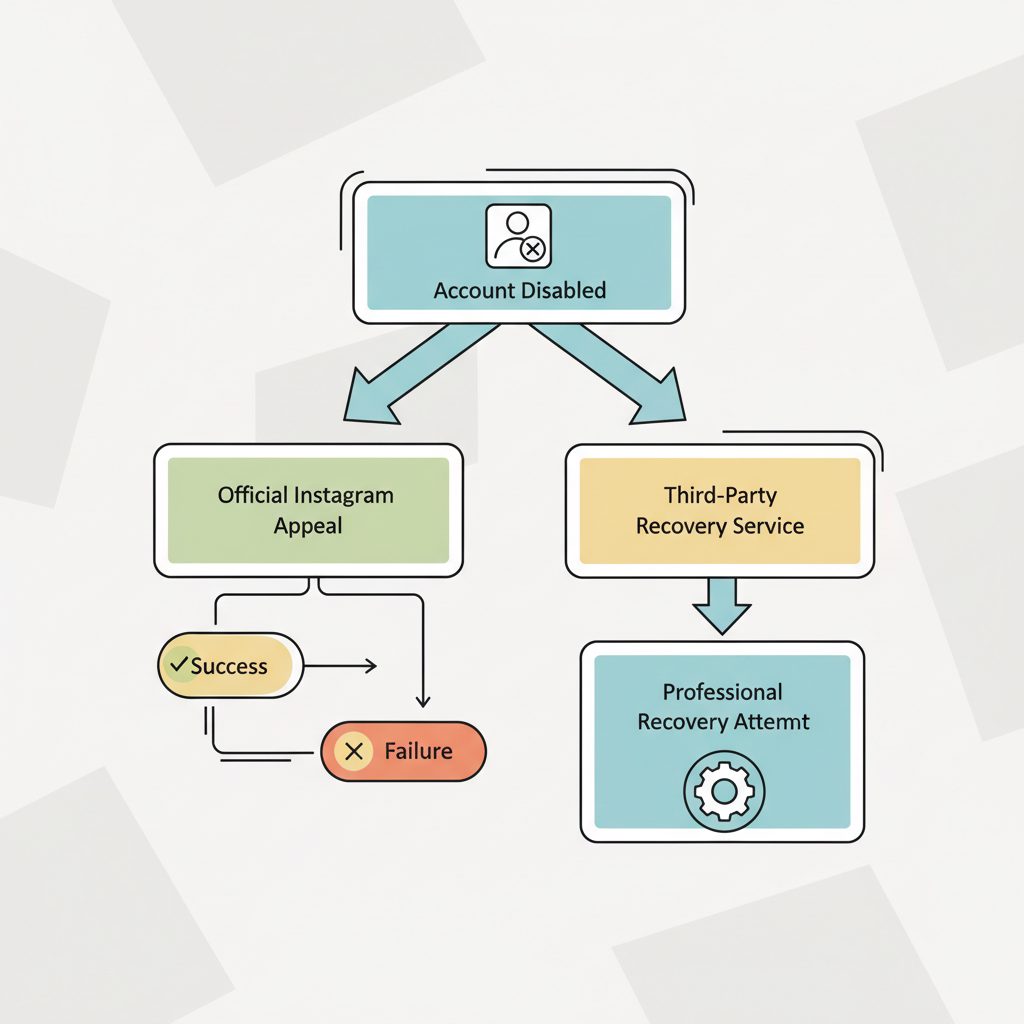
When your account is disabled, you have a few potential paths. Each carries different costs, timeframes, and success probabilities. Understanding these trade-offs is essential before you act.
| Method | Likely Outcome | Timeframe | Cost | Best For |
|---|---|---|---|---|
| Official Instagram Appeal | Mixed; success depends on the violation type and appeal quality. | 2 days to 6+ weeks | Free | All users as a first step. |
| Repeated Appeals | Low; can be marked as spam, reducing chances of review. | Weeks to months | Free | Not recommended; can work against you. |
| Professional Recovery Service | Higher success rate for complex cases, but not guaranteed. | 3-10 business days | Varies ($100-$500+) | Businesses, creators, and high-value accounts. |
| Starting a New Account | Guaranteed access, but loss of all data and followers. | Immediate | Free | Users with low follower counts or no significant content. |
How to Recover Your Disabled Instagram Account: The Official Process
Following Instagram's official appeal process is the necessary first step for any disabled account. Success depends on providing complete and accurate information. Do not attempt this multiple times in a short period, as this can be flagged as spam.
- Locate the Appeal Form. When you try to log in, the app should show a message that your account is disabled with a button to "Request a Review" or "Disagree with decision." This is the primary appeal channel.
- Enter Your Account Information. Provide your full name, your Instagram username, your email address, and your mobile number. Use the email and phone number associated with the account.
- Write a Clear and Concise Appeal. In the provided text box, briefly explain why you believe your account was disabled by mistake. Be polite and factual. State that you have reviewed the Community Guidelines and believe you have not violated them. Avoid emotional language or long stories.
- Wait for an Email Response. Instagram will typically send an automated email to the address you provided. This email will ask you to reply with a photo of yourself holding a handwritten code that they provide.
- Submit the Verification Photo. Write the code clearly on a clean sheet of paper, along with your full name and username. Take a well-lit photo where your face and the paper are clearly visible. Your hands holding the paper must be in the shot. This is often called the "mugshot verification."
- Await the Final Decision. After you submit the photo, your case enters a manual review queue. The response time can vary from a few days to several weeks. There is often no further communication until a final decision is made.
What If the Standard Instagram Appeal Fails?
A failed appeal is frustrating, but it does not always mean the account is lost forever. A human reviewer can reject an appeal if the verification photo was blurry, the information was incomplete, or the reviewer made a mistake. If the initial appeal fails, your options narrow.
Submitting the same form repeatedly is unlikely to help and may harm your chances, as Instagram's system can filter out duplicate requests as spam. Instead, it's time to consider if other communication channels are available or if the account's value justifies a professional service.
While direct access is limited, some users have reported success through other Meta support portals, like those for advertisers or through Oculus support. However, these are not official channels for this issue. Exploring options to contact Instagram Support Chat may reveal alternative pathways, though they are not guaranteed.
Using a Professional Instagram Account Recovery Service
When the official process fails and the account's value is high, a professional recovery service becomes a viable option. These services are not affiliated with Meta but often employ specialists who understand Instagram's internal escalation paths or have contacts that can push a case for a second review.
DarkSMM offers a specialized Instagram Account Recovery service designed for this purpose. As of November 2026, the service is priced at $160 per attempt. This is a manual service performed by our team to escalate your case, not a software tool.
It is important to be clear: success is not guaranteed. The outcome still depends on the nature of the alleged violation and the discretion of Instagram's internal teams. This service is best suited for business accounts, creators, and individuals for whom the loss of their username, follower base, and content represents a significant financial or personal loss. It is not a cost-effective solution for casual personal accounts.
Disabled vs. Deleted: Is Your Account Gone Forever?
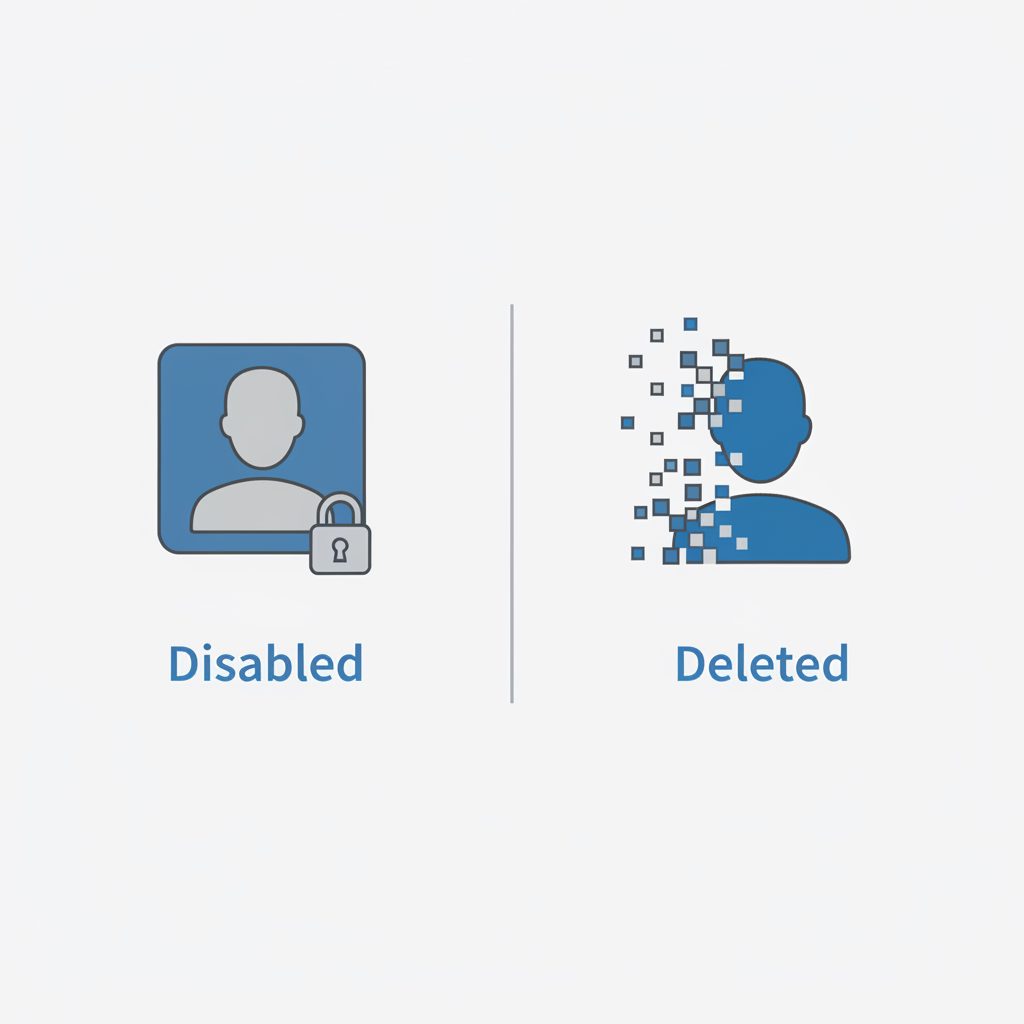
It is critical to understand the difference between a disabled account and a deleted one, as the recovery paths are entirely different.
- Disabled Account: Your account is hidden and inaccessible, but the data (username, photos, followers) still exists on Instagram's servers. A disabled account can be recovered.
- Deleted Account: The account has been permanently erased. This happens if you choose to delete it yourself, or in rare cases, if Instagram deletes it after a severe policy violation. After a 30-day grace period, a deleted account is unrecoverable.
If Instagram disabled your account, you are dealing with the first scenario. Your data is still there, and recovery is possible.
What to Check First to Avoid Future Disablement
Once you regain access to your account, or if you are starting a new one, take these preventative steps to reduce the risk of another automated flag.
- Audit Third-Party Apps: Go to
Settings > Security > Apps and Websites. Review every app that has access to your account and remove any you don't recognize or trust, especially those that claim to manage followers or likes. - Secure Your Email: Ensure the email address associated with your Instagram account is secure and uses a strong, unique password and two-factor authentication (2FA).
- Review Linked Accounts: Be aware that a violation on one account can sometimes impact others logged in on the same device.
- Moderate Your Activity: Avoid sudden, high-volume bursts of follows, unfollows, likes, or comments. Keep your activity at a normal, human pace, because rapid automated-looking bursts are what Instagram's spam systems are built to stop.
What to do this week
- Locate the correct appeal starting point: Open the Instagram app and try to log in to trigger the on-screen appeal process.
- Gather your account information: Collect your exact username, the email and phone number linked to the account, and prepare to take a verification photo.
- Review the Community Guidelines: Read the specific rule Instagram likely flagged you for to better understand their perspective before you write your appeal.
Frequently Asked Questions
How long does it take for Instagram to review a disabled account appeal?
The review timeframe varies widely. Some users receive a response within 48 hours, while many others wait for several weeks. There is no guaranteed response time, and factors like case complexity and appeal volume can cause significant delays.
Can I pay Instagram to get my account back?
No, Instagram does not offer a paid service to expedite or guarantee account recovery. Any website or person claiming to be an Instagram employee and asking for money is a scam. The only paid options are third-party services that operate independently of Meta.
Will getting Meta Verified protect my account from being disabled?
Meta Verified subscribers get access to proactive account monitoring and direct human support, which can help prevent some issues and may expedite reviews. However, it does not grant immunity. A Verified account can still be disabled for serious Community Guideline violations.
Why was my new Instagram account disabled immediately?
This usually happens when the new account is linked to a previously disabled account or a banned user. Instagram's systems may use your device ID, IP address, email, or phone number to make this connection. If your main account was disabled, appeal through Instagram's official process instead of opening a new one, since a new account linked to a disabled one can be removed for the same reason.
What's the difference between a disabled and a deleted Instagram account?
A disabled account is temporarily deactivated by Instagram and can often be recovered through an appeal. All your data is preserved. A deleted account is permanently removed after a 30-day grace period, and its data cannot be recovered by you, Instagram, or any third-party service.