
Contact Instagram Support Chat 24/7 for Account Recovery in 2026
Last updated: October 2026
There is no direct, publicly available 24/7 support chat to contact Instagram for general account recovery. The only official live chat is for paying Meta Verified subscribers and advertisers, and this chat does not guarantee account restoration.
Losing access to your Instagram account can be a major problem for your business or personal life. In fact, social media account takeover was the top reported identity crime in 2023, according to the Identity Theft Resource Center. The official Instagram account recovery process is the platform's automated way to get your account back by verifying your identity. This process involves using your original email, phone, or a video selfie.
This guide explains the official recovery channels, debunks common myths, and clarifies when a third-party service is a necessary last resort.
How Does Instagram's Support Actually Work?
Instagram, part of Meta, supports over 2 billion monthly active users. Because of this massive scale, the company does not operate a large, human-staffed support center for free account issues. Instead, Instagram's support system is mostly automated and uses self-service help forms. Therefore, the idea of a widely available live chat for account recovery is a myth, often promoted by unofficial services.
Your ability to reach a human agent depends entirely on your status. For example, most users only have access to automated forms. However, paying customers, like Meta Verified subscribers and businesses running ad campaigns, have a path to limited live support.
Official Support Channels: A Reality Check
To use Instagram's official support, you need to know which channel fits your situation. Using the wrong one often results in no response.
| Support Channel | Availability | Response Type | Who It's For | Typical Outcome |
|---|---|---|---|---|
| In-App "Report a Problem" | 24/7 | Automated / No Reply | All users | Bug reports; rarely helps with account access. |
| "Forgot Password?" Flow | 24/7 | Automated | Users with access to original email/phone | High success for simple lockouts. |
| Hacked Account Form | 24/7 | Automated / Limited Human Review | Users who lost access via hack | Mixed success; requires identity verification. |
| Meta Verified Support Chat | Business Hours | Human Agent | Paying Meta Verified subscribers | Help with subscription issues, some policy questions. Not a guaranteed recovery channel. |
| Meta Business Support | Business Hours | Human Agent | Advertisers with recent ad spend | Support for ad campaigns; can sometimes assist with linked business pages. |
How to Use Instagram's Official Account Recovery Process
Before trying other options, you must attempt the standard, automated recovery process. Instagram requires this as a first step. It also provides a case history you may need for any later action.
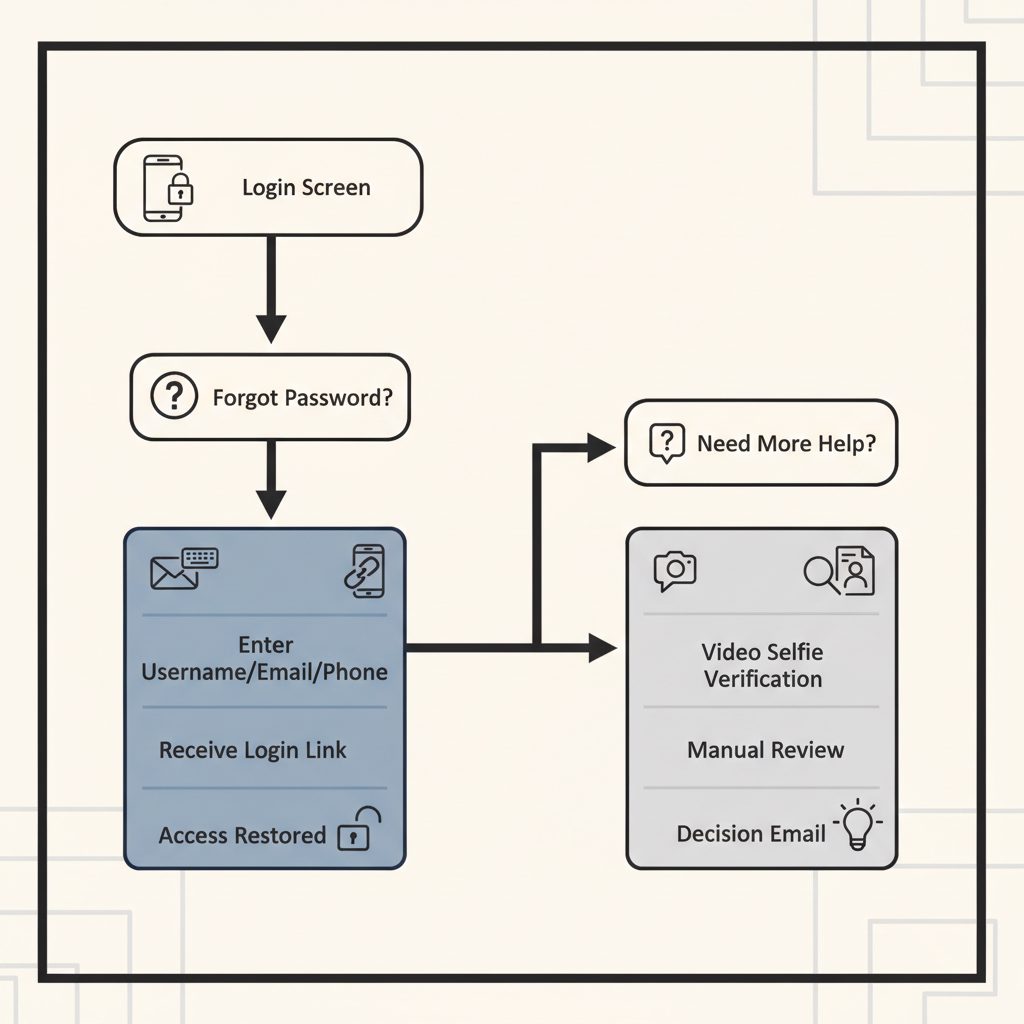
- Start the "Forgot Password?" Flow: On the Instagram login screen, tap "Get help logging in" (Android) or "Forgot password?" (iPhone).
- Enter Your Identifiers: Input your username, email address, or phone number tied to the account. If you don't know your username, ask a friend to check your profile for you.
- Select a Recovery Method: Instagram will offer to send a login link to your email or phone. If you have access to these, this is the fastest way to get back in.
- Request Support if Unsuccessful: If you cannot access the email or phone on file, select "Can't reset your password?" or "Need more help?". This is the key step that opens more options.
- Follow Identity Verification Prompts: Instagram may ask you to take a video selfie to confirm you are the account owner. The system matches the video against photos of you on the profile. For accounts without your photos, it may ask for the original signup email or phone number.
- Wait for a Response: After submitting your verification, wait for an email from Instagram. This can take from a few hours to several days. The email will come from an @facebook.com or @instagram.com address.
This process is the foundation for all recovery efforts. If it fails, it is often because the automated system cannot verify your identity or your account was disabled for a policy violation. For a disabled account, you must use the specific appeal form mentioned in the Instagram Help Center.
Why Can't I Find a Support Chat or Phone Number?
Many search results and social media posts show phone numbers claiming to be Instagram's 24/7 support line. These are not real. Instagram does not offer phone support for general user issues. Calling these numbers often connects you to other services that may charge high fees or try to get your personal information.
The fastest way back into your account is always through the original email or phone number you used to sign up.
Instagram's own Help Center pages direct users to in-app help or automated forms. There is no mention of a public support phone number or a universal live chat. Any service claiming otherwise is not approved by Meta. The only official live chat is a feature of Meta Verified, a paid subscription that costs $14.99 per month on mobile. While this service gives access to a support agent, agents are bound by internal policies and cannot override all automated decisions, especially for serious Community Guideline violations.
What Can You Do When Official Channels Fail?
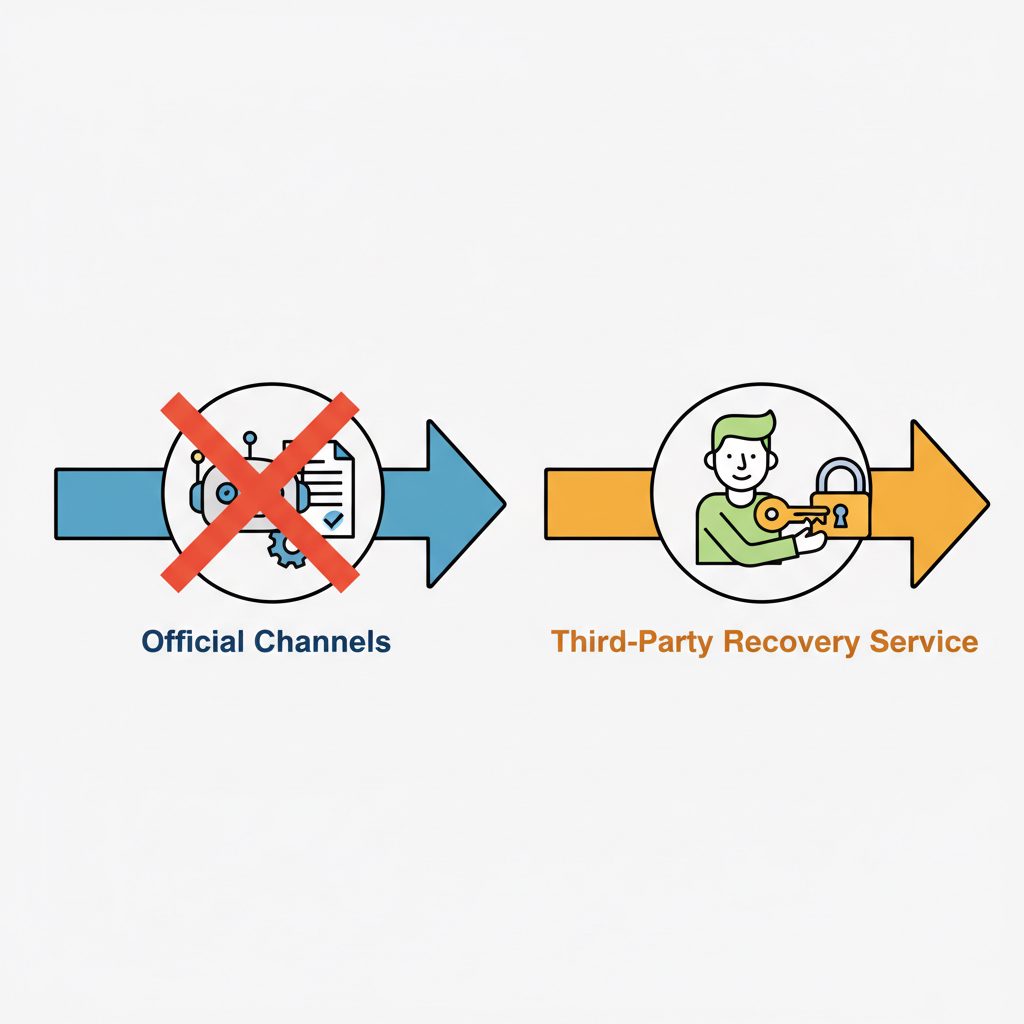
When you have tried all official channels and your account is still locked, the financial or personal damage can grow. At this point, some users consider specialized third-party services. However, these services are not magic. They typically work through relationships with platform representatives or by using non-public channels available to agencies.
This area has high risks. Many online panels offer "unban" or recovery services with no real process. For example, they may just take your money and file the same public forms you already did. In contrast, a legitimate service will have a clear process, require evidence, and be open about its limits and fees.
Where DarkSMM's Recovery Service Fits
For high-value accounts where downtime means lost revenue, a professional recovery service can be a last resort. DarkSMM offers an Instagram Account Recovery service for these situations. As of October 2026, the service costs $160 per account. It is for accounts that have been wrongfully disabled, hacked, or banned.
This service is not for:
- Simple password resets.
- Accounts you voluntarily deleted (see our guide on deleted Instagram account recovery for options).
- Accounts disabled for severe violations (like hate speech or illegal acts) where the ban is probably final.
Operators use internal agency portals and direct contacts to submit an appeal for you. However, success is not guaranteed, as the final decision always rests with Meta's internal teams. This option is for users who have a strong case for getting their account back but are stuck in the automated denial loop.
Before You Start Any Recovery Process
To improve your chances of success, good preparation is key. Rushing the process with the wrong information can lead to permanent failure.
- Gather Your Information: Collect all key account details: username, original email address, phone number used for signup, and the date you lost access.
- Document Everything: Take screenshots of any error messages, emails from Instagram, and the URLs of your disabled or hacked profile.
- Secure Your Email: Make sure the email account linked to your Instagram is secure. Change its password and turn on two-factor authentication (2FA) right away.
- Assess the Damage: Figure out if the account was just disabled or if a hacker has taken control and is posting content. The recovery path differs depending on the situation.
- Be Patient: Account recovery is not instant, especially when it needs human review. Submitting many requests through the same form can reset your place in the queue and cause more delays.
Frequently Asked Questions
How is Instagram account recovery different from Facebook's?
While Meta owns both platforms, their recovery processes are separate. Facebook has a "Trusted Contacts" feature that can help in some cases. In contrast, Instagram's process depends more on email/phone access and video selfie verification. You cannot use the Facebook Help Center to recover an unlinked Instagram account.
Can I use Facebook support channels to recover my Instagram account?
Generally, no. Unless your problem is with a linked Instagram account in Meta Business Suite, Facebook support agents cannot directly handle Instagram-only account issues. They will send you back to Instagram's own help center and recovery forms. The support systems are separate.
Does being verified on Instagram give me better support access?
Yes, but with limits. Subscribers to Meta Verified get access to live chat support for a monthly fee. This can be helpful for raising issues, but it is not a magic key. Support agents still follow internal rules and cannot reverse correct bans for policy violations. It mainly provides a human contact that standard users do not have.
Is buying a pre-verified account a safe way to get better support?
No, this is very risky. Buying an account violates Instagram's Terms of Service and can lead to the account being permanently disabled. Also, you have no way of knowing the account's history. It is safer to build your own account and explore official verification options, like the Meta Verified subscription.
How long does Instagram take to respond to a recovery request?
Response times vary. Automated responses for password resets are almost instant. For cases needing manual review, like a video selfie or a disabled account appeal, it can take from 24 hours to several weeks. There is no guaranteed timeframe.
What if my Instagram account was permanently deleted?
If an account was permanently deleted, either by you or a hacker, and more than 30 days have passed, it is usually unrecoverable. After this period, Meta purges the data from its servers. If you are within the 30-day window, you can typically log in to stop the deletion process.