
Deleted Instagram Account Recovery: Understanding Your Options After 30 Days
Last updated: November 2026
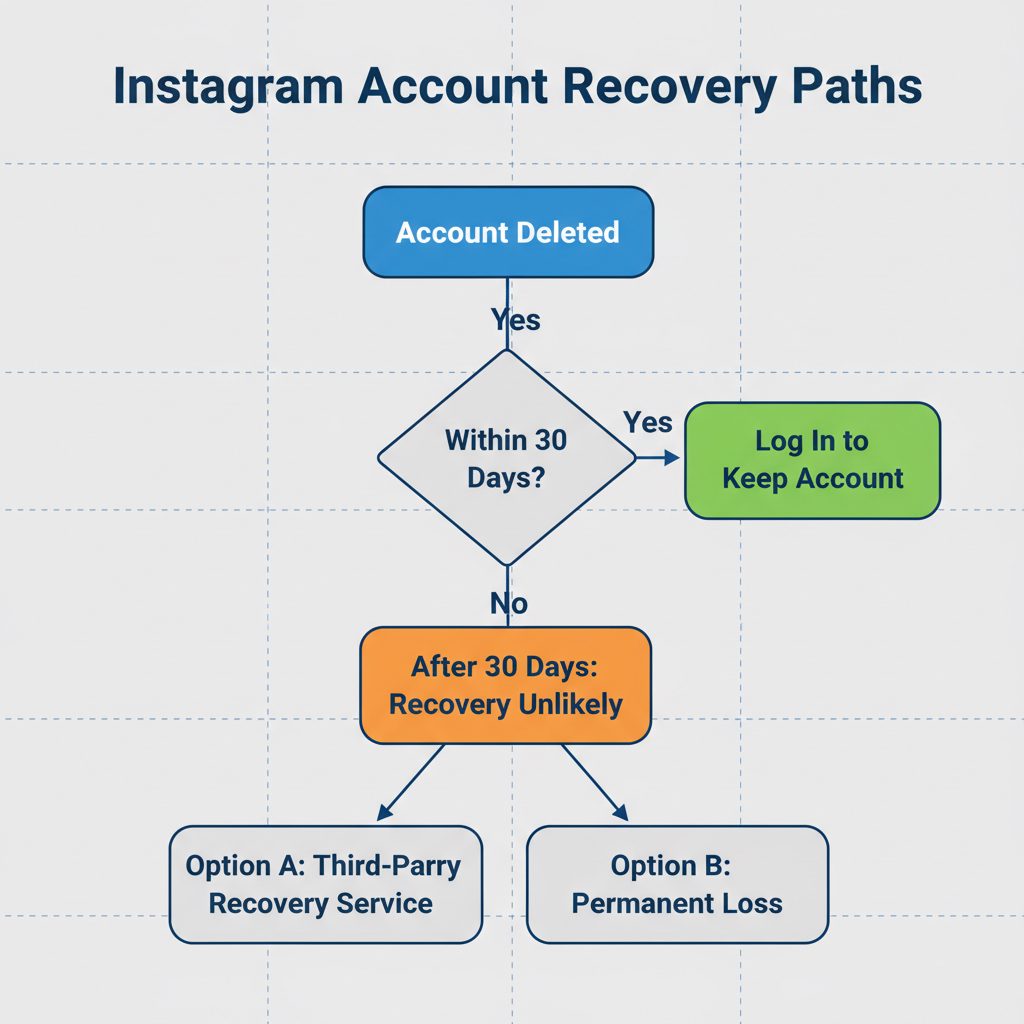
Deleted Instagram account recovery works only within 30 days of the deletion request: log back in with your username and password and Instagram cancels the deletion. After those 30 days, Instagram permanently deletes the account and everything in it, and neither Instagram support nor any paid service can bring it back. If your account was disabled, suspended or hacked rather than deleted, you are in a different situation with real recovery options, so check which one applies to you first (the table below shows how).
For an app used by well over a billion people, losing an account can mean losing a business asset, a creative portfolio, or a personal journal. Understanding the difference between a temporarily deactivated account and a permanently deleted one is the key to protecting and recovering your digital presence.
Permanently Deleted Instagram Account: An account that a user has requested to delete and which has passed the 30-day grace period for automatic recovery. After this point, the account is removed from public view and live servers, and cannot be recovered through any standard Instagram feature.
Once an account is permanently deleted, all content, followers, and the username are at risk of being lost forever, making preventative measures and quick action critical.
Key Takeaways
- Act Within 30 Days: Instagram gives you a 30-day window to reverse a deletion. You just need to log back into the account.
- After 30 Days, Official Tools Fail: Once 30 days pass, you can no longer recover the account using any public Instagram feature.
- Deletion vs. Deactivation: Instagram deactivates accounts temporarily, hiding them until you log back in. Deletion, however, starts a permanent removal process.
- Services Cannot Undo a Finished Deletion: Paid recovery services, including ours, work on disabled, suspended or hacked accounts. No one can restore an account you deleted yourself once the 30 days have passed.
- Check Your Status First: Many accounts people believe are deleted are actually disabled or hacked, and those can often be recovered.
- Prepare for Failure: If recovery is impossible, your best alternative is to secure the username if it becomes available and start a new account.
Deletion vs. Deactivation: Why the Difference Matters
Understanding Instagram's terms is the first step in any recovery attempt. The platform uses two different concepts: temporary deactivation and permanent deletion. Each has different rules and results.
-
Deactivation is a temporary step you take. Instagram hides your profile, photos, comments, and likes from public view but does not remove them from its servers. You can reactivate your account at any time by logging back in.
-
Deletion is a permanent step that starts a 30-day countdown. When you ask to delete your account, Instagram hides your profile and content right away. You have 30 days to change your mind by logging back in. After 30 days, Instagram schedules the account and all its data for permanent deletion.
Meta's Privacy Policy states that after you request deletion, it can take up to 90 days to fully remove your data from their backup systems. Meta Privacy Policy
Do not misread that 90-day figure. Meta keeps backup copies for its own disaster recovery and legal obligations, not as a restore point for users. There is no form, appeal or support channel that rebuilds an account from those backups, so treat day 30 as the real deadline.
How to Recover a Deleted Instagram Account (The Official 30-Day Method)
If you started the deletion yourself and are still within the 30-day grace period, the recovery process is simple. This method is free and managed directly by Instagram.
- Open the Instagram App: Launch the Instagram app on your device or go to Instagram.com.
- Attempt to Log In: Enter the username and password for the account you deleted. You must use the exact credentials.
- Look for the Recovery Prompt: If you are within the 30-day window, Instagram will show a message with the scheduled deletion date and an option to "Keep Account."
- Tap "Keep Account": Select this option to cancel the deletion request.
- Confirm Your Identity: Instagram may ask you to verify your identity with a code sent to your email or phone number.
Once you complete these steps, Instagram will fully restore your account, including your profile, photos, and followers. This process only works for deletions you started yourself and is not effective after the 30-day mark.
What happens after the 30-day window?
After 30 days, Instagram's system changes the account's status, making it impossible to recover using the login method. The system flags the username and data for permanent removal from primary databases. At this point, your options narrow greatly.
Instagram reaches well over a billion people, so an account can be a real business asset, and losing one is not a trivial matter. Still, once day 30 has passed, your account is gone. You cannot contact Instagram support to restore it. Their official policy is clear.
Meta Help Center: "After 30 days of your account deletion request, your account and all your information will be permanently deleted, and you won't be able to retrieve your information." Meta Help Center
Anyone who tells you they can pull a self-deleted account out of Meta's backups after day 30 is selling something that does not exist. Walk away, and never send money or login details to that seller.
Deleted, disabled or hacked? Check which one you have
Many people who search for deleted account recovery were never deleted at all. They were disabled by Instagram, locked out by a hacker who changed the email, or simply logged out without access to the phone number. Each case has a different fix, so identify yours before you do anything else.
| What you see | What it usually means | What to do |
|---|---|---|
| Login shows a deletion date and a "Keep account" option | You (or someone with your password) requested deletion, and you are still inside the 30 days | Tap the option to keep the account, then change your password |
| "Your account has been disabled" or "suspended" | Instagram removed access for a suspected rule violation | Use the in-app appeal; disabled accounts are not deleted and can often be restored |
| "Incorrect password" and the email or phone on the account has changed | The account was probably hacked | Use Instagram's hacked account flow at instagram.com/hacked and request a login link or video selfie check |
| "User not found" and no deletion screen | The deletion finished, or the username was changed | Search for your old profile from a friend's account; if it is gone and 30 days have passed, it cannot be restored |
If you are in the second or third row, you have a genuine recovery case. Those are the situations professional help is built for, as explained further down.
Comparing Recovery Options: DIY vs. Professional Services
Choosing the right approach depends entirely on your situation, especially how long ago the account was deleted and why.
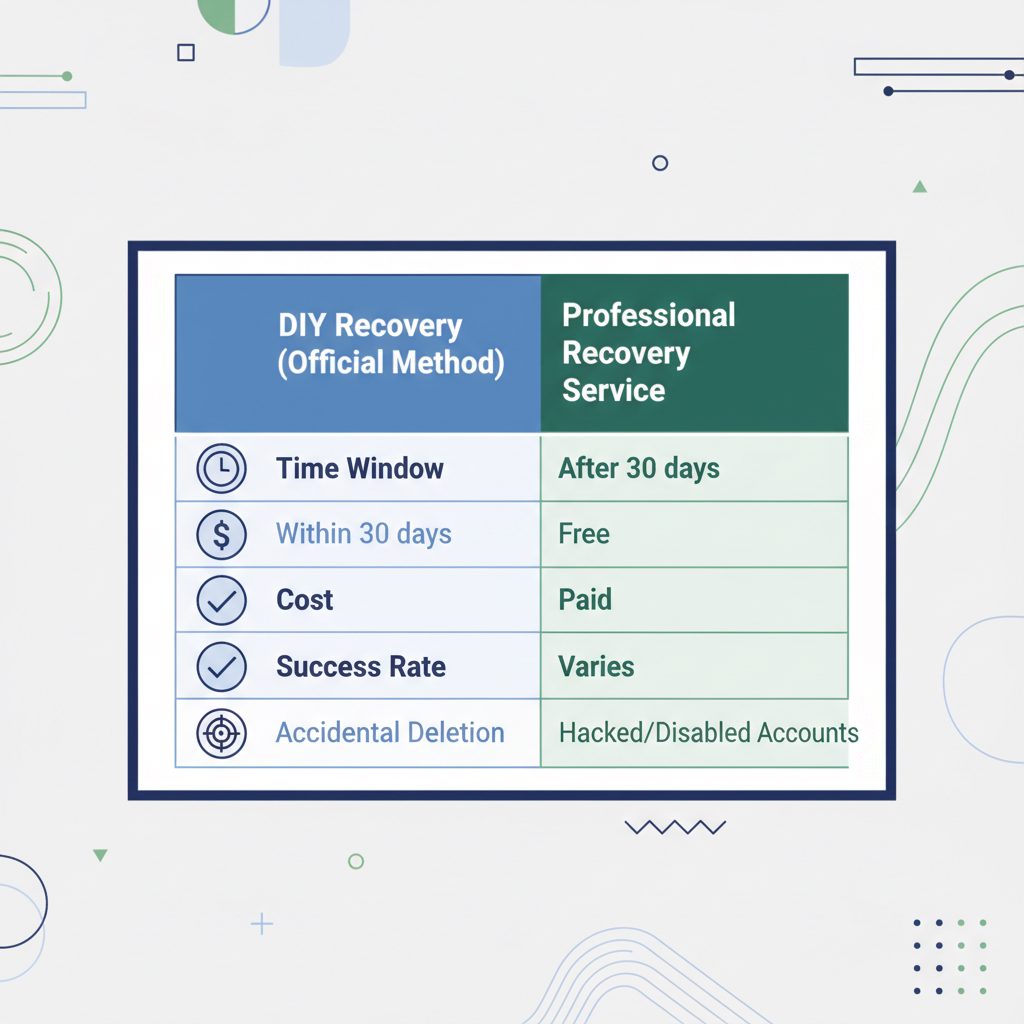
| Feature | DIY (Official Method) | Third-Party Recovery Service |
|---|---|---|
| Best for | Accidental deletions, recently changed minds | Disabled, suspended or hacked accounts (not self-deleted ones) |
| Time Window | Within 30 days of deletion | While the account still exists; useless after a completed deletion |
| Success Rate | Very high (if within the window) | Varies by case; never guaranteed |
| Cost | Free | Paid (typically a fixed fee per attempt) |
| Process | Simple login and confirmation | Complex; involves case submission and backend support |
| Risk | Low | Requires vetting a reputable provider |
Where DarkSMM's Recovery Service Fits In
For accounts that were disabled or suspended by Instagram, a specialized service can help when the in-app appeal has failed. DarkSMM offers an Instagram Account Recovery service designed for these situations. It does not restore accounts that you deleted yourself, and we say so before you order.
According to the service listing, it covers accounts disabled for reasons such as 30-day or 180-day restrictions, nudity or sexual content flags, impersonation reports, hate speech or violence flags, copyright or counterfeit claims, fraud flags, stuck reviews and failed selfie verification. To start a case, you provide the username, the reason shown on the disabled screen and the follower count. The listed timeframe is 0 to 72 hours. It is meant for accounts where losing followers, content and the username is a real business or personal setback.
As of November 2026, the listed starting price is $160. That is a starting price only: larger accounts or complex cases can cost more, and non-standard cases are quoted before payment. Instagram makes the final decision, so no outcome is guaranteed. If you are still inside the 30-day deletion window, you do not need us at all: log in and keep the account for free. If your self-deleted account is past day 30, no service can help, and we will not take the order.
Before you start
Before you try any recovery, gather the necessary information to improve your chances of success.
- Collect Account Details: Find the exact username, the original email address used for signup, and any phone number linked to the account.
- Document the Timeline: Note the exact date the account was deleted or disabled. If it was hacked, document any strange activity, such as unauthorized posts or password change notifications.
- Try the Official Method First: If you are within the 30-day window, always attempt the free login-based recovery process before considering paid services.
- Vet Any Third-Party Service: If you must use a service, review its terms. Understand that you are paying for an attempt, and never provide your password. Case submission should only require public information and contact details.
Save your photos and data before you delete anything
If you are thinking about deleting an account, or you have just requested deletion and are still inside the 30 days, download a copy of your data first. Instagram lets you request a file with your photos, videos, messages and profile information from Accounts Center under "Your information and permissions" and then "Download your information". The file can take a while to prepare and is only available to download for a few days, so request it early.
Once the deletion is complete, this option disappears along with the account. That is why the safest habit for any account you care about is a regular export, plus an up-to-date email address and phone number, and two-factor authentication turned on. Those three settings solve most "I lost my account" stories before they start.
Frequently asked questions
Can I recover a deleted Instagram account after 30 days?
No. Once 30 days have passed since a deletion you requested, Instagram permanently deletes the account and its content, and there is no appeal or support route to restore it. If the account was disabled or hacked instead of deleted, it may still be recoverable.
How do I recover a deleted Instagram account if I forgot the password?
If you are inside the 30-day window, use "Forgot password" on the login screen to get a reset link by email or text, then log in and choose to keep the account. If you no longer control that email or phone, follow Instagram's hacked account flow, which can confirm your identity with a video selfie.
How long does Instagram take to permanently delete an account?
Instagram hides a deleted account for 30 days, during which you can recover it by logging in. After 30 days, the account and its data are scheduled for permanent deletion from live systems. According to Meta's data policy, this data may remain in backup storage for up to 90 days before being completely purged.
Can I get my username back after my account is deleted?
It depends. In many cases, Instagram holds onto usernames from deleted accounts indefinitely to prevent impersonation or spam. If the username is eventually released back into the public pool, it becomes available for anyone to register on a first-come, first-served basis. There is no guarantee it will become available.
What is Instagram account verification?
Instagram account verification is the process of obtaining a blue checkmark next to your username. This badge confirms the authenticity of a public figure, celebrity, or global brand. To get verified, you must prove your account is notable, authentic, unique, and complete, often by providing links to press articles and official identification. For more details, see this guide on how to get verification on Instagram.
Can you buy an Instagram verification account?
No, you cannot buy a verification badge directly from Instagram. Doing so is a violation of their terms of service. However, you can buy Instagram verification services from agencies that build your public profile through PR and media outreach to meet the platform's notability requirements for a successful verification application.
Does the Instagram Account Recovery service guarantee success?
No reputable service can guarantee account recovery. The outcome depends on factors outside the service's control, such as the reason for deletion, the time elapsed, and Instagram's internal policies. A professional service like the Instagram Account Recovery offering provides a structured attempt through expert channels, but the final decision rests with the platform.