
How to Get Verification on Instagram: The Operator's Guide

Last updated: October 2026
This guide explains exactly how to get verification on Instagram in 2026. It is for agencies, resellers, and serious creators who need to understand the mechanics of both the paid Meta Verified subscription and the traditional, notability-based blue check. This is not a list of 'hacks'; it is a breakdown of the two official systems and their distinct requirements.
What is Instagram verification? The process of getting a blue checkmark badge on an Instagram profile to officially confirm the account's authenticity. Verification acts as a trust signal, setting official accounts apart from fan pages or impersonators and unlocking certain platform features.
Key Takeaways
- Choose a path: You can either subscribe to Meta Verified for a monthly fee or apply for traditional verification by proving public notability. These are two separate processes with different outcomes.
- Prepare your account: Before applying, ensure your profile is complete, public, has a profile picture, a bio, and at least one post. You must also activate two-factor authentication (2FA).
- Understand 'notability': For organic verification, follower count is irrelevant. Instagram's reviewers look for significant, independent press coverage from reputable news sources. Press releases and paid media do not count.
- Meta Verified is transactional: The paid badge confirms your identity via a government ID. It does not confer the same 'notable' status as the original blue check, but it provides a badge and enhanced support.
- Rejection is common: Applications for organic verification are frequently denied. A denial simply means the account did not meet the notability criteria. You can reapply after 30 days.
What's the Difference Between Meta Verified and Organic Verification?
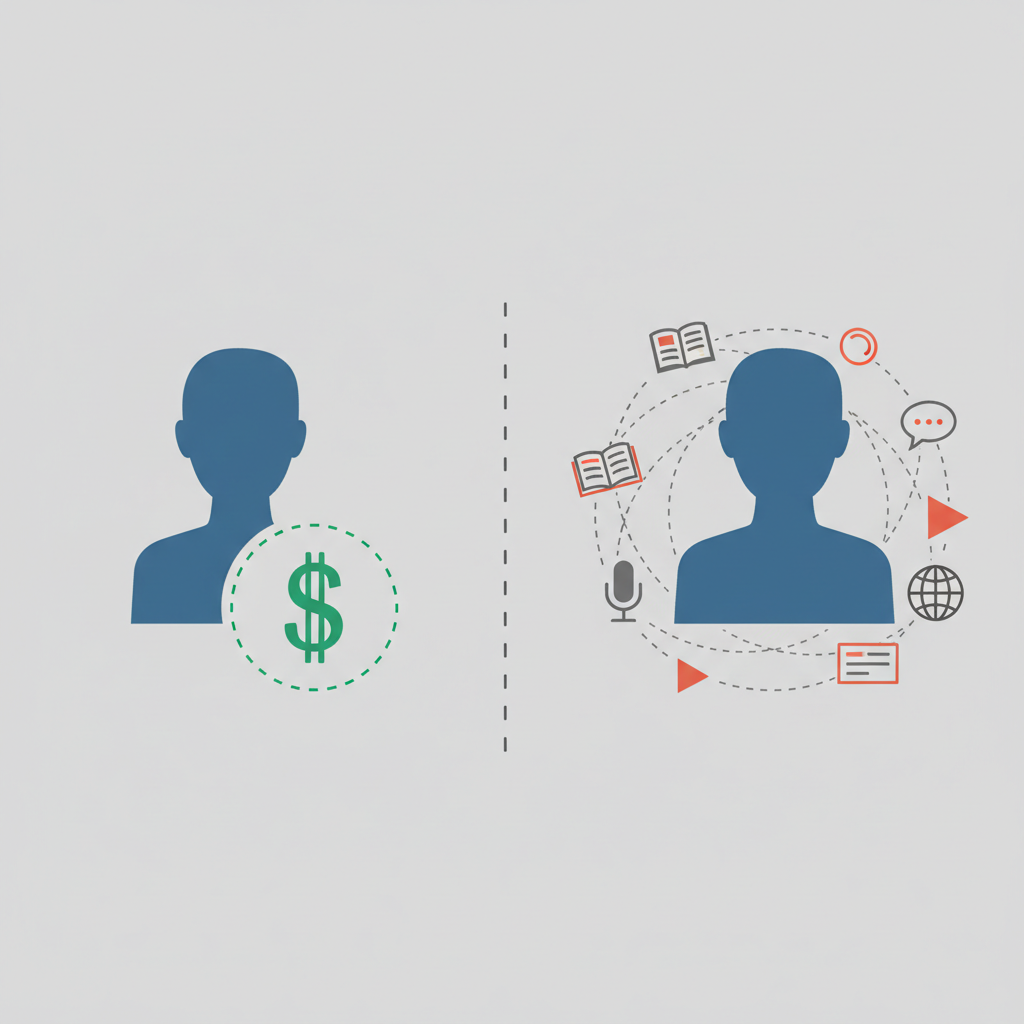
Instagram offers two distinct pathways to the blue checkmark. They are not the same, and choosing the wrong one wastes time and resources. The primary difference lies in what the badge actually signifies: identity confirmation versus public notability.
Meta Verified is a paid monthly subscription. For a recurring fee, which is $14.99 per month when subscribing on iOS or Android, you provide a government-issued ID to prove you are who you say you are. In return, you get a blue badge, proactive impersonation monitoring, and access to direct account support. It's a transactional service where the badge confirms identity, not status.
12 million — Subscribers who had signed up for Meta Verified by October 2023. — Mark Zuckerberg, Meta Q3 2023 Earnings Call.
In contrast, Organic Verification is earned. Instagram grants it to accounts that the platform deems "notable." This is the original blue check associated with public figures and major brands. It requires proving that the person or entity is well-known and frequently featured in credible, independent news sources. This path is free but has a much higher barrier to entry.
Follower count is not a primary factor for notability-based verification.
Here is how the two systems compare directly:
| Option | Cost | Core Requirement | Primary Benefit | Best for |
|---|---|---|---|---|
| Meta Verified | $14.99/month (mobile) | Government-issued ID | Identity confirmation, support | Individuals, creators, small businesses |
| Organic Verification | Free | Verifiable public notability (press) | Status signal, authenticity | Public figures, celebrities, global brands |
How Do You Qualify for Organic (Notability) Verification?
Qualifying for organic verification is the most misunderstood part of the process. Instagram's internal review teams do not care about your follower count. For example, an account with 5,000 followers that has been profiled by major news outlets is more likely to be verified than an account with 500,000 followers and no external press.
The platform's own guidelines state an account must be "notable," representing a "well-known, highly searched for person, brand or entity." In practice, this means:
- Multiple News Sources: You must be featured in several independent, reputable news articles. Local news is often insufficient; reviewers look for national or significant international media.
- Not Paid or Promotional: Content from press release distribution services, sponsored articles, or paid media placements is explicitly ignored. The coverage must be organic.
- Verifiable Presence: The reviewers conduct their own searches. If they cannot find significant results for your name or brand outside of Instagram, the application will be denied.
2 billion monthly active users are on Instagram, making it a critical platform for public figures to establish authenticity. — DataReportal, 2024.
A 2021 Pew Research Center study found that 48% of U.S. adults get news from social media "sometimes" or "often." This reliance on platforms for information reinforces why Meta is so strict about verifying the authenticity of notable accounts to combat misinformation.
Achieving this level of press requires a significant marketing and PR effort. It is not something that can be faked with a few cheap articles. Consequently, panels that sell "guaranteed verification" through PR packages often use low-authority sites that Instagram's reviewers have already blacklisted.
How to Apply for Verification on Instagram: Step-by-Step
Whether pursuing the paid or organic route, the initial steps are similar and happen inside the Instagram app. Before you begin, audit your account to ensure it meets the basic eligibility criteria.
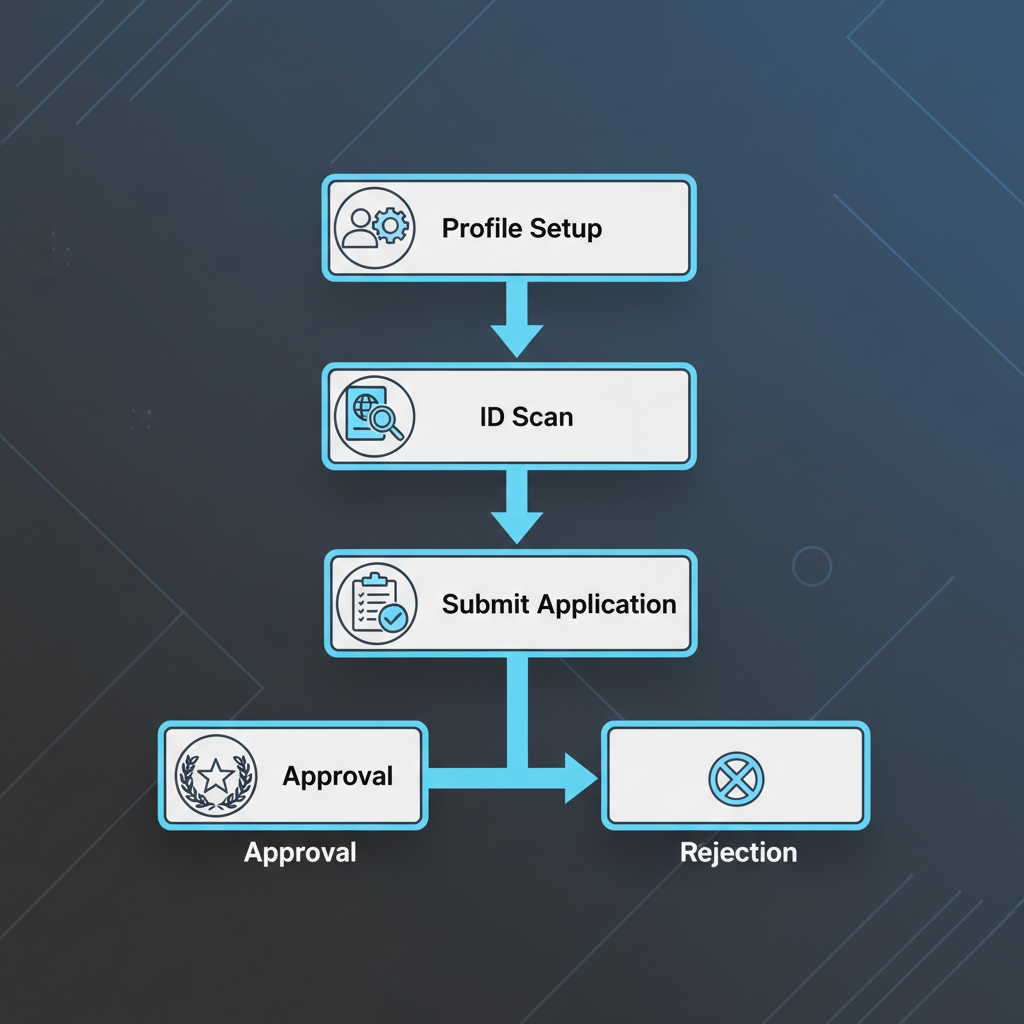
- Prepare Your Account: Your profile must be Public (not Private). It needs a profile picture, a completed bio, and at least one post. Also, enable Two-Factor Authentication (2FA) under "Security" for your account to be considered.
- Navigate to the Verification Request: Open the Instagram app. Go to your Profile > tap the menu icon (three horizontal lines) >
Settings and privacy>Accounts Center. - Choose Your Path: Inside Accounts Center, you will see an option for
Meta Verified. If it's available for your account, you can subscribe here. To apply for organic verification, tapRequest verification. - Confirm Authenticity (ID): For both paths, you will be prompted to enter your full name and upload a photo of a government-issued ID (e.g., driver's license or passport). The name on the ID must match your legal name.
- Demonstrate Notability (Organic Path Only): If applying for organic verification, you must demonstrate public interest. The form provides fields to select your category (e.g., News/Media, Sports) and audience. More importantly, you must add links to at least 3-5 strong, independent news articles that feature you.
- Submit and Wait: After submitting, the review process begins. For Meta Verified, approval is usually quick (within 48 hours) if your ID is accepted. For organic verification, the official timeline is up to 30 days, according to Instagram's Help Center. You will receive a notification in your
Activityfeed with the result.
If you are struggling to get your profile compliant or need guidance on the application, a specialized service like /services/7-instagram-custom-meta-verification can streamline the process for the paid Meta Verified badge.
The blue badge is a tool for authenticity, not a vanity metric.
FAQ: Common Instagram Verification Questions
What is Instagram verification?
Instagram verification is the process of getting a blue checkmark badge on your profile. The badge confirms that Instagram has authenticated the account as the genuine presence of a notable public figure, brand, or the identity of a Meta Verified subscriber. It's a key signal of trust and authenticity.
Where is the Instagram verification form?
The verification application is not a public web form. You can only access it directly within the Instagram app. Navigate to your profile settings, then go to Accounts Center. From there, you can either select Meta Verified to subscribe or Request verification for the notability-based application.
How does Meta Verification for Instagram work?
Meta Verification is a paid subscription. You pay a monthly fee, submit a government-issued ID to confirm your identity, and meet basic eligibility criteria (like being 18+ and having a public profile). In return, you receive a verification badge, impersonation protection, and direct account support.
What's the difference between the two Instagram verification badges?
Functionally, the blue badge looks the same. However, a badge from a Meta Verified subscription simply confirms your identity was checked against an ID. The original, organic verification badge signifies that Instagram has independently confirmed the account is "notable" and of public interest, a much higher standard.
What to do this week
- Audit your own profile: Is it complete? Public? Is 2FA enabled? Fix any gaps before you consider applying. An incomplete profile is an automatic rejection.
- Evaluate your notability: Perform a Google News search for your name or brand. Are there multiple, independent, substantial articles? If not, the organic verification path is not for you right now. Focus on PR first.
- Decide on a path: Based on your audit, decide if the transactional Meta Verified subscription or the high-bar organic application is the right fit. Don't waste time applying for organic verification if you don't have the press to back it up.
- Review your account security: Verification, especially via the paid route, makes you a more visible target. Ensure your password is strong and unique, and that the email associated with your account is secure.