
How to Recover a Disabled Instagram Account (2026 Process)
Last updated: October 2026
The first step in how to recover disabled instagram account is to file an appeal through Instagram's official help form. A disabled Instagram account is one the platform has suspended for violations of its Community Guidelines or Terms of Use, making your profile and content inaccessible. The recovery process involves submitting your account information for a manual review, which can take anywhere from a few days to several weeks.
Successfully navigating this process requires a clear understanding of why your account was disabled and precise execution of the appeal steps. This guide provides the exact procedure for submitting your appeal and explains what to do if standard methods fail.
Key Takeaways
- Diagnose the reason for disablement before you appeal; the cause dictates the strategy.
- Use Instagram's official "My Instagram Account Was Deactivated" form for all appeals.
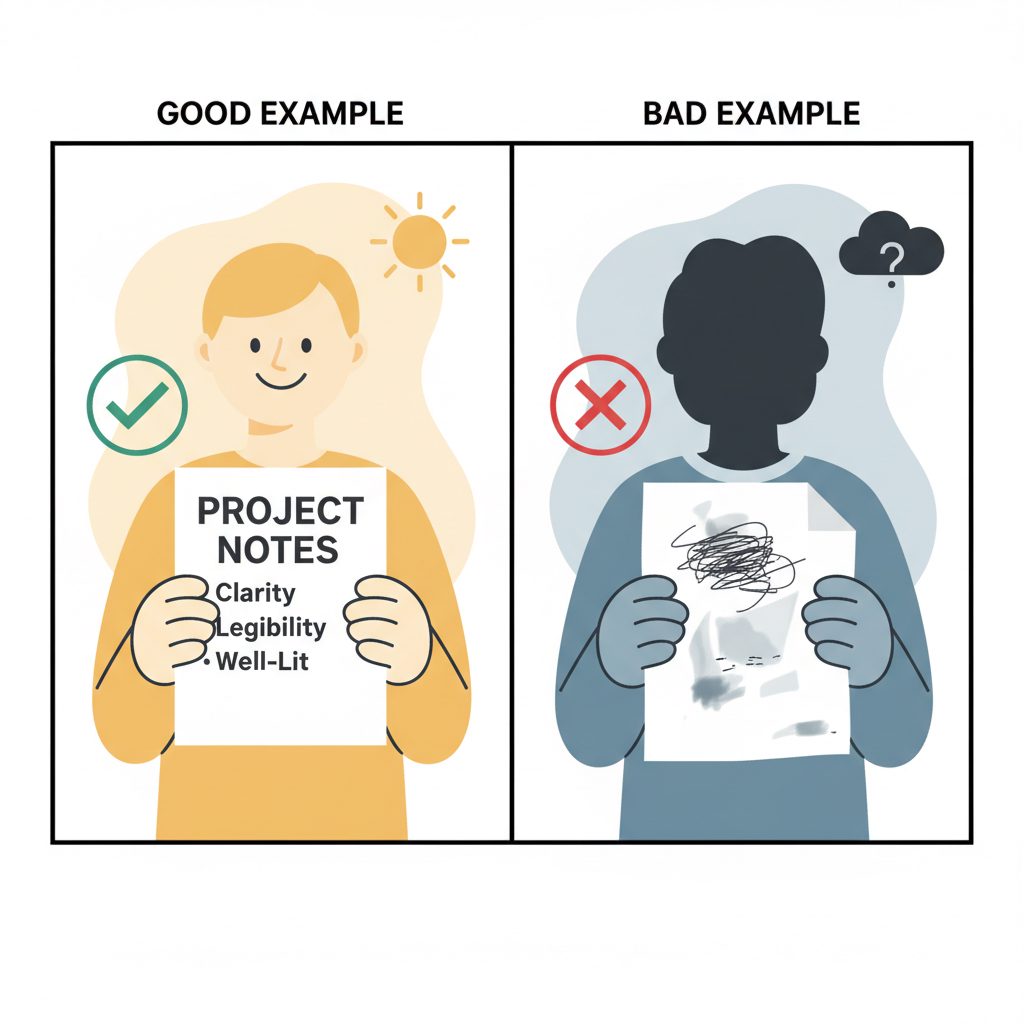
- Provide completely accurate information and a clear, well-lit verification photo if requested.
- Understand that recovery is not guaranteed and the review process can take weeks.
- Consider specialized recovery services for high-value accounts only after exhausting official options.
How Can You Tell Why Your Account Was Disabled?
The message you see when you try to log in determines your next steps. Different issues have different recovery paths, and using the wrong one wastes time. Before filing any appeal, identify which situation applies to you.
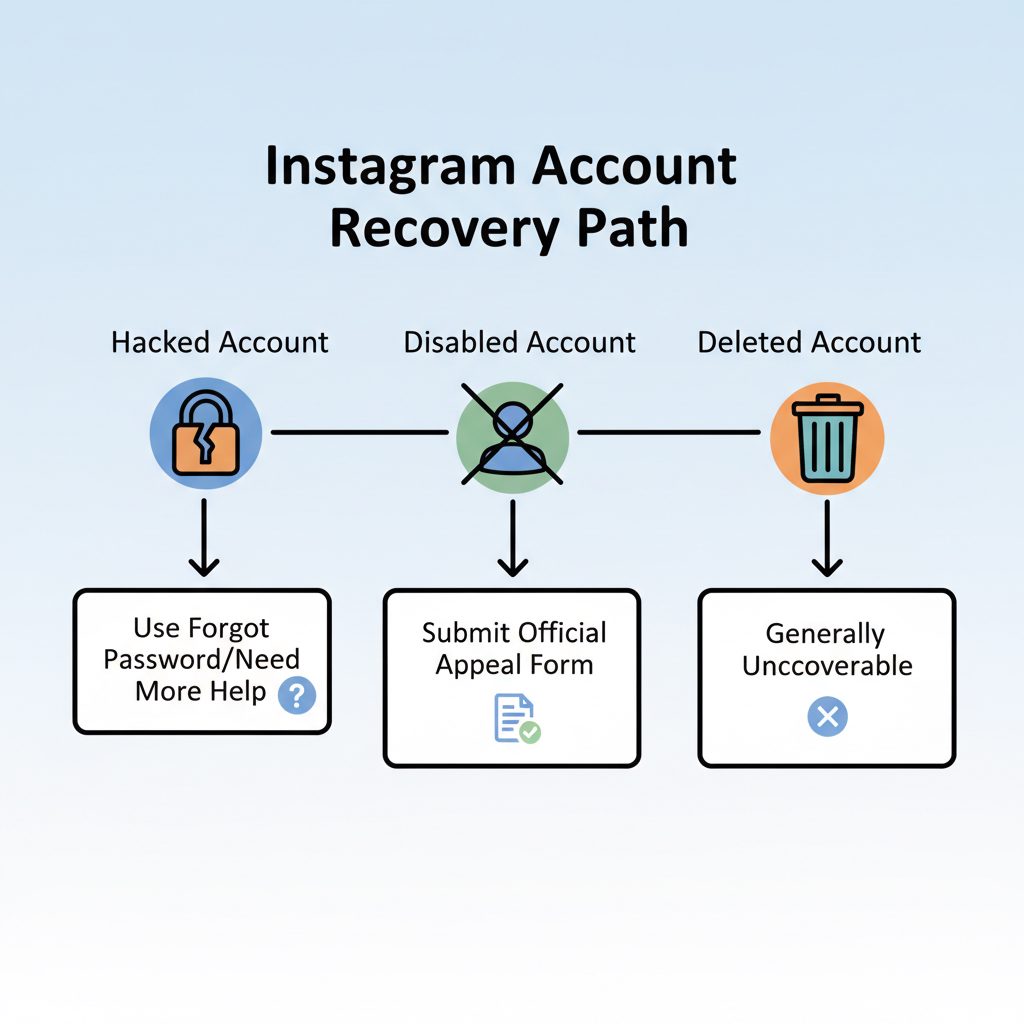
| Status | Typical Login Screen Message | Primary Cause | Standard Recovery Path |
|---|---|---|---|
| Temporarily Disabled | "Your account has been disabled for violating our terms..." | Community Guideline violation (e.g., spam, hate speech). | Official Appeal Form. High chance of recovery if the violation was minor or a mistake. |
| Permanently Disabled | Same message, but appeals are repeatedly denied. | Severe or repeated violations of Terms of Use. | Very low chance of recovery. Official channels are unlikely to succeed. |
| Hacked | "Incorrect password" or notice that your email/phone was changed. | Unauthorized access by a third party. | Use the "Forgot password?" link, then select "Can't reset your password?" to start the identity verification process. |
| Deleted | "User not found" or "Sorry, this page isn't available." | Account was permanently deleted, either by you or by Instagram after 30 days of a deactivation request. | Generally not recoverable. See our guide on recovering a deleted Instagram account for edge cases. |
Understanding this distinction is critical. Appealing a hacked account through the disabled account form will fail, and vice versa.
Step-by-Step: How to Recover a Disabled Instagram Account
If your account was disabled for a Community Guideline or Terms of Use violation, this is the standard procedure. It is the only official, self-service method Instagram provides. Follow these steps precisely.
Prerequisites: Gather Your Information
Before you start, have the following ready:
- Your full name: As it appears on your account or a government-issued ID.
- Your exact Instagram username: No typos.
- The email address and phone number linked to the account.
- A government-issued photo ID (passport, driver's license). Instagram may request this later.
1. Access the Correct Appeal Form
Instagram centralizes appeals through one primary form. This is the only starting point for violation-related appeals. Avoid other links from forums, as they are often outdated or phishing attempts.
2. Complete the Form with Precision
Every field on this form must be accurate. The initial review is often automated, and any mismatch can cause an immediate rejection.
- Full Name: Enter your real name, not your username.
- Instagram Username: Enter your @username correctly.
- Email Address: Provide an email you can access. This is where you will receive the response and any requests for more information.
- Country: Select your country of residence.
3. Write a Factual, Concise Appeal
The form provides a text box to explain your case. Keep your explanation brief and professional. Emotional pleas or long stories are less effective than clear, factual statements.
Good example:
"I believe my account was disabled in error. I have reviewed the Community Guidelines and do not believe my activity violated any rules. This account is important for my business [Business Name]. Please conduct a manual review of my case."
Bad example:
"I can't believe you did this, I didn't do anything wrong!! I've had this account for 10 years and all my memories are on it, you have to give it back to me now this is so unfair!"
Stick to the facts. If you know what might have triggered the flag (e.g., using a third-party analytics app), you can mention it and state it was unintentional.
4. Submit the Photo Verification (If Requested)
After submitting the form, Instagram will likely send an automated email from the Meta support team. This email asks you to reply with a photo of yourself holding a handwritten code.
To avoid rejection, your photo must be clear. Hold a clean, white piece of paper with the handwritten code, your full name, and your username written in dark ink. Ensure your face and the paper are both fully visible and in focus. Do not use a digital editor to add the text.
This step proves you are the real owner of the account. Submitting a blurry photo or an incomplete code is a common reason for the recovery process to stall.
5. Wait for a Response (and Manage Expectations)
After you reply with the photo, your case enters a manual review queue. There is no official timeline for a response. It can take anywhere from 48 hours to several weeks. Submitting multiple appeals is unlikely to speed up the process and can create confusion for the review team. Check your email, including the spam folder, every day for a response.
Why Was Your Account Disabled?
Instagram disables accounts for violating its Community Guidelines or its Terms of Use. The guidelines cover content (like hate speech or graphic imagery), while the Terms of Use cover behavior (like spam, creating fake accounts, or intellectual property theft).
Instagram Community Guidelines: Meta, 2024
Instagram's enforcement systems operate at a massive scale. According to Meta's own reports, automation is a key factor in disablement, especially for spam and fake accounts.
Using third-party apps that automate follows, comments, or likes is a common trigger. Even if an app is marketed as safe, its use violates the Terms of Use and can lead to your account being flagged by these automated systems.
When Should You Use a Recovery Service?
For most users, the official appeal process is the only path needed. However, a specialized service may be an option if your appeal is ignored for weeks or you are repeatedly denied without a clear reason. This is especially true for businesses, creators, and public figures whose income or reputation depends on their account.
DarkSMM offers an Instagram Account Recovery service, currently priced at $249.99. It is not a secret backdoor. The service uses established escalation channels to submit your case for a higher-level review, which is often necessary for complex situations or when automated systems have made an error.
This service is designed for users who have already tried the free, official methods without success. It is not a solution for accounts disabled for severe violations (e.g., illegal activities). While it has a high success rate for eligible cases, recovery is never 100% guaranteed. If your account is not of significant business value, we recommend continuing with the free official process first.
What to Check Before You Escalate
Before you give up, run through this final checklist. These small details can make the difference between recovery and permanent loss.
- Check All Email Folders: Search your inbox and spam folder for any emails from
@support.instagram.comor@facebookmail.com. You may have missed the initial request for photo verification. - Gather Proof of Identity: If your account is for a business, have business registration documents ready. If it's a personal brand, a government ID matching the name is essential.
- Document Everything: Take screenshots of the disablement message, your appeal forms, and any correspondence with Instagram. This creates a paper trail if you need to escalate.
- Secure Linked Accounts: Change the password for the email address linked to your Instagram account and enable two-factor authentication. If a hacker gained access, they may target your email next.
Frequently Asked Questions
How long does it take to recover a disabled Instagram account?
There is no guaranteed timeframe. The process relies on a manual review, and response times can range from a few days to over a month, depending on the complexity of your case and the volume of appeals Instagram is handling. Anyone promising a 24-hour recovery is likely not using official methods.
Can I recover a permanently disabled Instagram account?
Officially, a permanently disabled account is gone for good, and Instagram's decision is considered final. However, in cases where a clear mistake was made by their systems, escalation through a professional service can sometimes lead to a reversal. The chances are low and never guaranteed.
What is the difference between a deactivated and a disabled account?
Deactivation is a voluntary action you take to temporarily hide your profile. You can reactivate it simply by logging back in. Disablement is an involuntary action taken by Instagram against your account for violating rules. Recovery requires a formal appeal.
How does Instagram account verification work?
Instagram verification, the blue checkmark, is granted to accounts that are authentic, unique, complete, and notable. Notability means the person or brand is well-known and frequently searched for. You can apply through the app, but success depends on public interest and press coverage. Our guide on how to get verification on Instagram explains the criteria in detail.
Can I buy an Instagram verification account?
Buying a pre-verified account is a direct violation of Instagram's Terms of Use. The platform actively finds and removes these badges, often disabling the account as well. It is safer to build your notability or use a service that helps generate public relations to meet the verification criteria legitimately. Explore the options in our guide to buying Instagram verification.
Will creating a new account affect my disabled one?
Creating a new account will not directly impact your appeal for the disabled one. However, if Instagram determines you are creating new accounts to circumvent a ban, those new accounts may also be disabled without warning. It is best to focus on recovering the original account first.