
How to Appeal a WhatsApp Ban: A Step-by-Step Guide for 2026
Last updated: October 2026
To appeal a WhatsApp ban, you must first submit a review request. You can do this through the "Request a review" button in the app or by contacting support via their official web form. This guide explains how to appeal a WhatsApp ban effectively. The process can take from 24 hours to several weeks.
A WhatsApp ban occurs when the platform blocks your phone number from accessing its service, typically for violating its Terms of Service. Most bans are triggered by automated systems. A successful appeal requires a clear, concise message that explains your usage and respectfully requests a review.
Seeing the "Your phone number is banned from using WhatsApp" message can halt business operations or sever personal connections. Many users appeal only to receive an automated rejection. This guide provides a structured process for submitting an effective appeal, explains why most fail, and outlines when to consider professional help.
Key Takeaways
- Identify the ban type (temporary or permanent) before appealing.
- Use the in-app "Request a review" feature as the primary appeal method.
- Write a brief, factual appeal message; avoid emotional language or long explanations.
- Understand that repeated violations or severe infractions make recovery unlikely.
- Consider a professional recovery service only after official channels have failed.
What Should You Do Before Appealing a Ban?
Before you submit an appeal, a few preparatory steps can significantly increase your chances of a successful outcome. Rushing to appeal without understanding the context is a common mistake that leads to automated rejections.
-
Identify the Ban Type: WhatsApp issues two kinds of bans. A temporary ban usually displays a timer and serves as a warning. A permanent ban shows the message "Your phone number is banned from using WhatsApp. Contact support for help." Your appeal strategy depends on which type you have. Temporary bans often resolve on their own; permanent bans require a successful appeal.
-
Review the Terms of Service: Try to identify the potential cause of the ban. With over 100 billion messages sent daily, WhatsApp relies heavily on automation to spot violations of its official Terms of Service. Common violations include sending bulk messages, using modified clients like GB WhatsApp, or being reported by many users in a short time. Having a plausible idea of the cause helps you frame your appeal.
-
Gather Your Information: Collect all relevant details. You will need your full phone number (including country code), the type of device you use (e.g., iPhone 15, Samsung Galaxy S23), and a brief, honest summary of your recent activity on the platform. Do not invent a story. Stick to the facts.
How to Appeal a WhatsApp Ban: Step-by-Step Process
Follow these steps methodically. The official channels are the only legitimate way to have a ban reviewed. There are no secret backdoors.
-
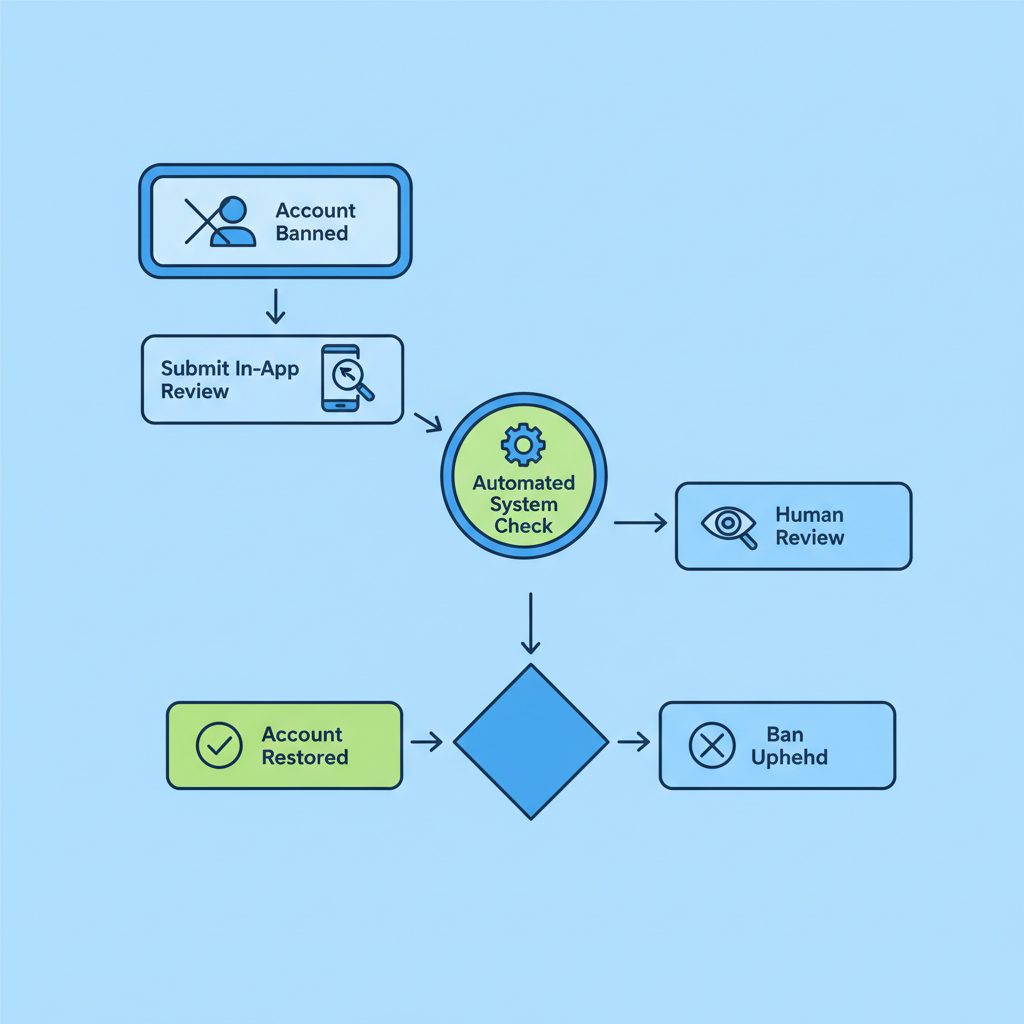
Use the In-App Review Feature: When you open WhatsApp on a banned account, the app will present you with an option to "Request a review." This is the most direct and prioritized channel. Tapping this button will open a form where you can submit your case.
-
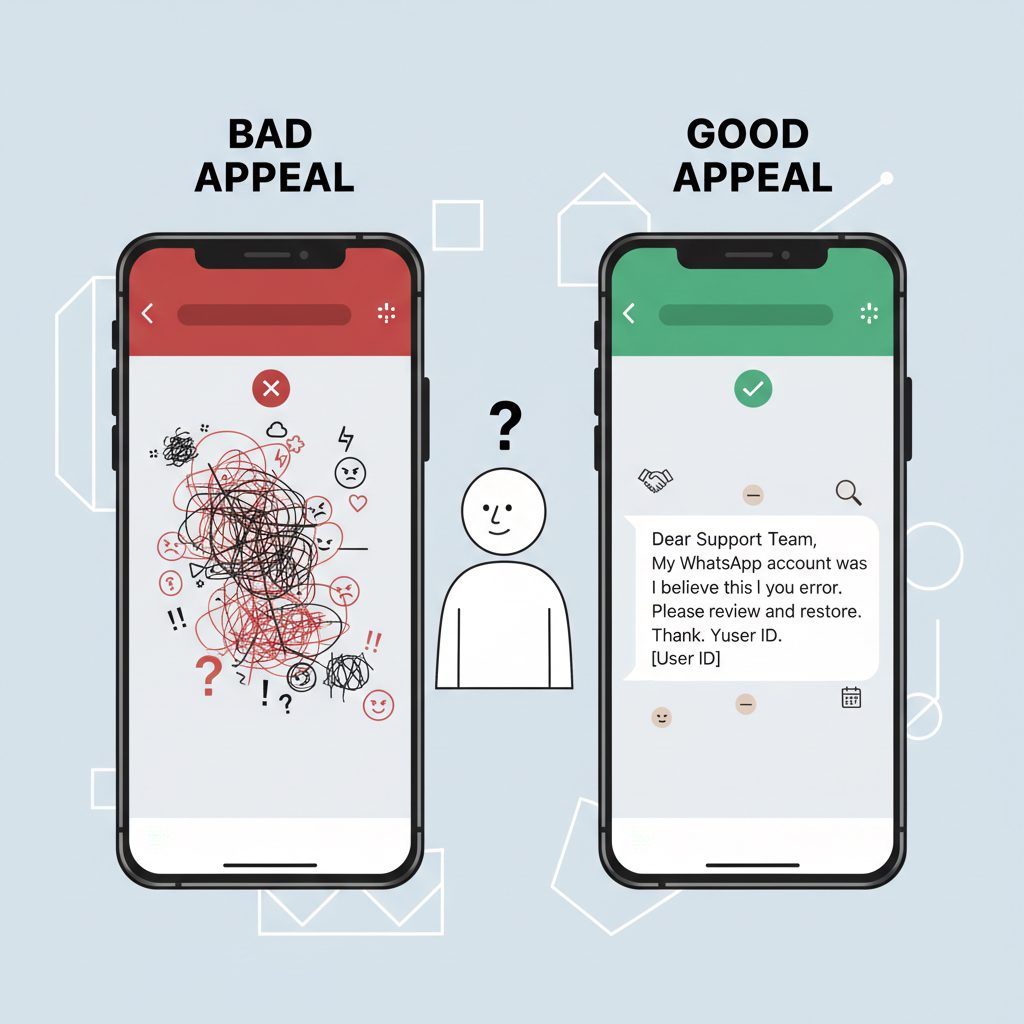
Draft Your Appeal Message: This is the most critical step. Your message should be polite, concise, and factual. Avoid long, emotional stories or threats. A simple, clear template often works best.
Appeal Message Template: "My phone number [+1-XXX-XXX-XXXX] appears to have been banned. I believe this is a mistake. I use this account for [briefly state purpose, e.g., 'communicating with my clients' or 'personal communication with family']. I have reviewed the Terms of Service and I am confident my usage complies with the policies. I kindly request a review of this decision. Thank you."
-
Submit Through the Web Form (Alternative): If the in-app option is not available, or if you want to provide more information, you can use the official WhatsApp contact form. Select the appropriate support path for your issue (e.g., "WhatsApp Messenger Support" for personal accounts) and fill in the required fields. Paste your drafted appeal message here.
-
Submit and Wait Patiently: After you submit your appeal, you will likely receive an automated email acknowledging your request. A final decision can take anywhere from a few hours to several weeks. Do not submit multiple appeals during this waiting period, as it can be counterproductive.
-
Follow Up (Sparingly): If you do not receive any response after two weeks, you can send one polite follow-up inquiry through the web contact form. Any more than that may flag your case as spam, reducing your chances of a human review.
Comparing Your Appeal Options
Understanding the trade-offs of each appeal method helps you set realistic expectations. Success is never guaranteed, but choosing the right path for your situation improves the odds.
| Method | Speed | Estimated Success Rate (First Try) | Best for |
|---|---|---|---|
| In-App Review | Fast (24-72 hours) | Low to Moderate | First-time, minor infractions where an automated system likely made an error. |
| Email / Web Form | Slow (3-14 days) | Low | Cases where the in-app option is missing or for providing more detailed context. |
| Professional Service | Moderate (2-10 days) | High | High-value business accounts, persistent bans, and cases already rejected by standard support. |
When Standard Appeals Fail: Professional Unban Services
Many users find the official appeal process frustrating. Automated systems often reject legitimate appeals without explanation, and reaching a human reviewer can feel impossible. This is a common challenge on large platforms where moderation is automated, similar to issues seen when trying to recover a disabled Instagram account.
For high-stakes situations, a failed appeal is not the end of the road. In these cases, a professional service can be a practical option.
DarkSMM offers a WhatsApp Account Unban service designed for these difficult cases. It is a managed service where our team handles the appeal process on your behalf. We focus on cases that have already been rejected by the standard, automated systems.
This service is for users whose account value justifies the cost of professional intervention. We recommend exhausting the free, official methods first. For a deeper look into how these services work, our guide on WhatsApp unban services provides more detail.
Why Do Most WhatsApp Appeals Get Rejected?
Understanding common failure points can help you avoid them. Most rejections stem from a few key mistakes or circumstances.
- Automated Filtering: The first line of defense for WhatsApp support is an automated system that scans appeals for keywords. Angry, threatening, or overly long messages are often filtered out before a human sees them.
- Admitting Fault Incorrectly: An appeal that says, "I'm sorry for spamming, I won't do it again," is an admission of guilt. This confirms the violation and almost guarantees the ban will be upheld.
- Using Unofficial Apps: WhatsApp explicitly bans the use of modified clients like GB WhatsApp or WhatsApp Plus. According to its Help Center, these unofficial apps pose security risks, and their use will lead to an account ban. Appeals for such cases are almost always denied.
- Severe Violations: Accounts flagged for illegal activities, scams, or spreading misinformation are subject to permanent bans with little to no chance of reversal.
- Spammy Behavior: Sending unsolicited messages at scale is a primary reason for bans. This is different from controlled, paced communication, such as that used in a well-managed drip-feed order, which is designed to appear natural.
An appeal that says, "I'm sorry for spamming, I won't do it again," is an admission of guilt that almost guarantees the ban will be upheld.
A Simple First-Week Plan
If your account is banned, follow this timeline for the best chance of recovery.
- Day 1: Stop all activity. Do not try to re-register the number. Submit your first appeal using the in-app "Request a review" feature with a concise, factual message as described above.
- Day 2-3: Wait. Do not submit another appeal. Monitor the email address associated with your phone for a response from WhatsApp support.
- Day 4-7: If you have received no response, you may send one follow-up message via the official web contact form. During this time, start assessing the business impact of the lost account and decide if a professional recovery service is a necessary next step.
Frequently Asked Questions
How long does a WhatsApp appeal take?
An appeal can take anywhere from 24 hours to several weeks. Initial reviews by automated systems are fast, often within a day. If a case is escalated for human review, it can take much longer. Patience is key; repeated inquiries will not speed up the process.
Can a permanently banned WhatsApp number be used again?
If an appeal is successful, the permanent ban is reversed and the number can be used again. However, if WhatsApp upholds the permanent ban after a review, that number cannot be registered on WhatsApp again. The decision is typically final.
What happens to my chats and data if my account is banned?
While your account is banned, you cannot access any of your chats, media, or backups. If the ban is successfully appealed and your account is restored, all your data should be intact. If the ban is permanent, your account data will eventually be deleted in accordance with WhatsApp's data retention policies.
Will using a new SIM with the same phone get me banned?
Not automatically, but WhatsApp can use device identifiers (along with IP addresses) to detect ban evasion. If your device was associated with a severe violation, any new account created on that same device may be at a higher risk of being flagged and banned preemptively.
Why was my account banned for using a third-party app like GB WhatsApp?
Using modified or unofficial WhatsApp clients is a direct and serious violation of their Terms of Service. These applications compromise user security and privacy and are not supported by WhatsApp. Their systems are designed to detect and ban accounts using them, often permanently.
Is it possible to appeal more than once?
Yes, but it is not advisable to do so in rapid succession. If your first appeal is rejected, wait for a final confirmation. Bombarding the support system with multiple tickets for the same issue can flag your case as spam and may result in your requests being ignored altogether.