
How to Get TikTok Blue Tick Verification: Requirements and Costs in 2026
Last updated: October 2026
Getting a TikTok blue tick verification costs nothing if you apply directly, but can range from $1,500 to over $25,000 when using an agency. A TikTok blue tick is a badge that confirms an account is the authentic presence of a notable public figure or brand. This verification signals trust on a platform with over 1.56 billion active users. This guide explains the official requirements for both methods.
This guide details the specific requirements TikTok's human reviewers look for. It also explains how to prepare your account and press portfolio for either application method. Understanding these rules is the key to a successful application.
Key Takeaways
- Verification requires proving you are a notable public figure, mainly through multiple, independent news articles.
- The free, in-app application has a high rejection rate for accounts that lack a strong public profile.
- Legitimate third-party services use official TikTok media partner portals, not software hacks, to submit applications.
- Agency-assisted verification costs can be high. For example, some firms charge between $1,500 and $25,000 for their services.
- A verified badge confirms authenticity and adds credibility. However, it does not automatically increase your content's reach.
TikTok Verification Badge (Blue Tick): A blue checkmark icon on a user's profile. It signals that TikTok has confirmed the account is the authentic presence of the notable public figure, celebrity, or brand it claims to represent.
What Are TikTok's Official Verification Requirements?
TikTok's blue checkmark is awarded to accounts that meet criteria designed to confirm they are authentic, active, and notable. While the platform's guidelines are public, the "notability" standard is the most subjective and often causes confusion.
Reviewers check for four main pillars:
- Authentic: The account must represent a real person, business, or entity. TikTok confirms this with documents like a government-issued ID for individuals or business registration papers for companies.
- Complete: Your profile must have a bio, a profile photo, and at least one public video. The account cannot be set to private.
- Secure: The account must have two-factor authentication (2FA) enabled with a verified email. This shows the owner is taking basic security steps.
- Notable: This is the most critical requirement. TikTok states the account must be "featured in multiple news sources." In practice, this means high-quality, independent press. Press releases, sponsored content, and mentions in blogs do not count. Reviewers look for organic articles, interviews, or features in well-regarded publications.
To be considered notable, an individual, organization, or brand must be featured in multiple reputable news sources. We don't consider press releases or sponsored media in our review., TikTok Help Center
This standard is similar to the concept of notability used by other platforms. The evidence must show that the public has already taken notice of the account's owner.
Notability: A topic is presumed to be suitable for a stand-alone article or list when it has received significant coverage in reliable sources that are independent of the subject., Wikipedia
How to Apply for Verification Through the TikTok App
If you believe you meet the notability criteria, you can apply directly through the TikTok app. This process is free but can be slow, with responses often taking weeks. However, the in-app application option is not visible to all users. TikTok only shows it to accounts that meet certain undisclosed activity and follower metrics.
- Open Settings and Privacy: Tap the 'Profile' icon in the bottom-right, then tap the three-line menu icon in the top-right to access your settings.
- Select 'Account': In the settings menu, tap on the 'Account' option.
- Tap 'Verification': If your account is eligible to apply, you will see a 'Verification' option. If you do not see it, your account does not currently have access to the feature.
- Choose Verification Type: You will be asked to choose between 'Business' and 'Personal/Notable Person'. Select the one that accurately describes your account.
- Fill Out the Form: Enter all required information, which includes your official name and a photo of your government-issued ID for personal accounts.
- Submit Proof of Notability: This is the most important step. You will be given fields to submit URLs to news articles that feature you or your brand. Choose your strongest, most reputable press links.
- Submit and Wait: After submitting, your application enters a review queue. There is no guaranteed response time, and rejections often come without specific feedback.
Comparing Verification Methods: In-App vs. Third-Party Agency
For creators and brands, the choice comes down to time, resources, and existing public profile. The in-app method is the official path, but agency services provide another route for those who qualify.
| Method | Best for | Cost | Speed | Success Rate | Requirements | Risk |
|---|---|---|---|---|---|---|
| In-App Application | Creators with a strong press portfolio and patience. | Free | Slow (weeks to months) | Low (for most users) | High notability, press, active profile | Low. The worst outcome is a rejection. |
| Third-Party Agency | Notable figures who were rejected or want a faster, guided submission. | $1,500 - $25,000+ | Faster (days to weeks) | Higher (if criteria are met) | High notability, press, active profile | Medium. Risk of scams or paying for a rejection. |
How Do Third-Party TikTok Verification Services Work?
Legitimate third-party verification services are not using secret software. They are typically public relations firms or marketing agencies with access to a TikTok Media Partner Panel. This is a dashboard provided by TikTok to its trusted partners to manage their clients' needs, including support tickets and verification submissions.
When you use such a service, you are paying for two things:
- Case Preparation: The agency helps you assemble your proof of notability (press clippings, awards, etc.) into a format that TikTok's review teams prefer.
- Portal Submission: The agency submits your application through their partner portal. Applications from these portals often receive a more thorough review and a faster response because they come from a trusted source.
Crucially, these services cannot bypass TikTok's core requirement for notability. If you do not have the required press, a legitimate agency cannot get you verified. The service is a submission method, not a shortcut.
Where DarkSMM's Verification Service Fits
DarkSMM offers a TikTok Verification Badge service that operates as an agency submission. As of October 2026, the service is a flat $900 fee.
This service is designed for creators and public figures who already meet TikTok's notability requirements but have been unsuccessful with the in-app application. Our role is to take your existing portfolio of press and profile information and submit it through a high-priority media partner channel.
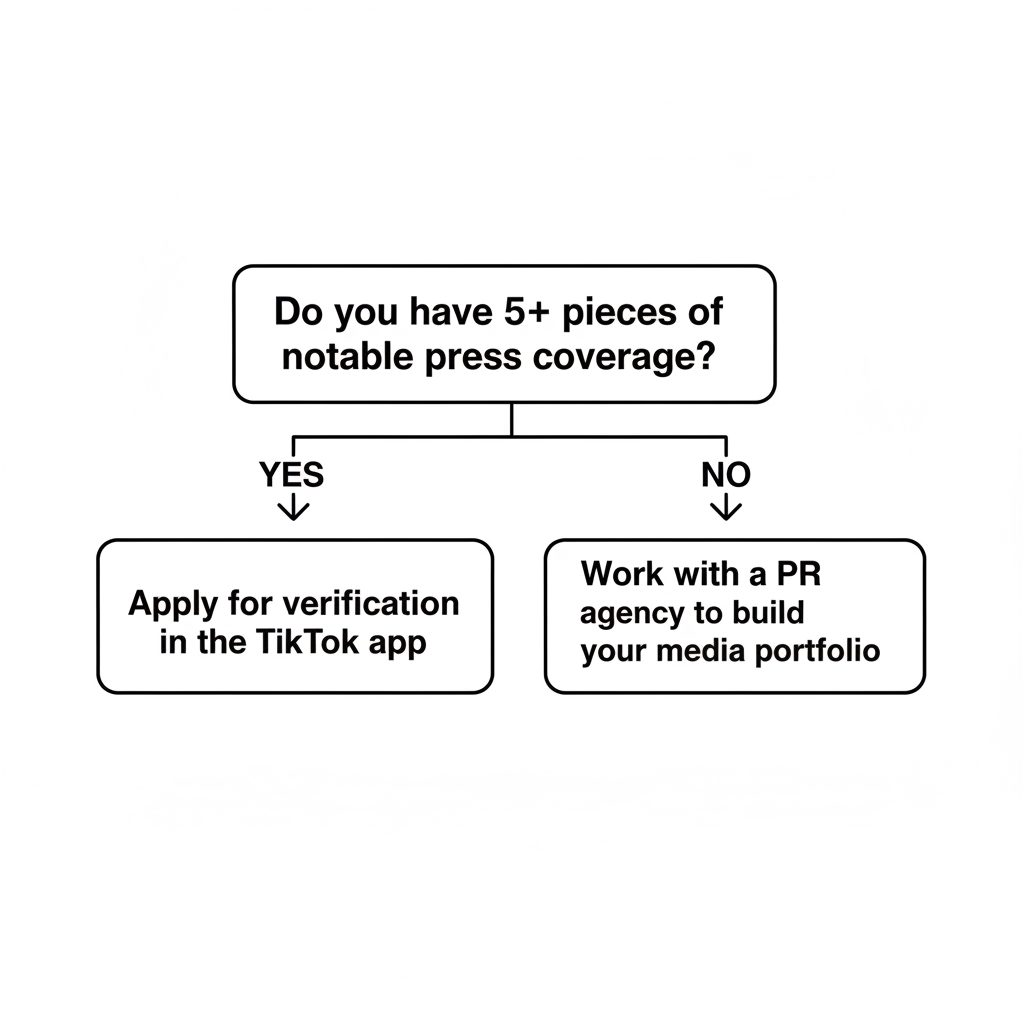
This service does not create notability. We do not write press articles for you. The service is strictly for submitting a well-prepared case for an already-notable account. If you do not have at least 5-7 strong, independent media mentions, this service is not for you. In that case, your investment should be in a public relations campaign to build your media presence first.
What Is the Difference Between a Verified Badge and a Business Account?
Many users confuse the blue verification badge with a TikTok Business Account. They serve entirely different functions. Understanding the distinction is key to managing your presence on the platform effectively.
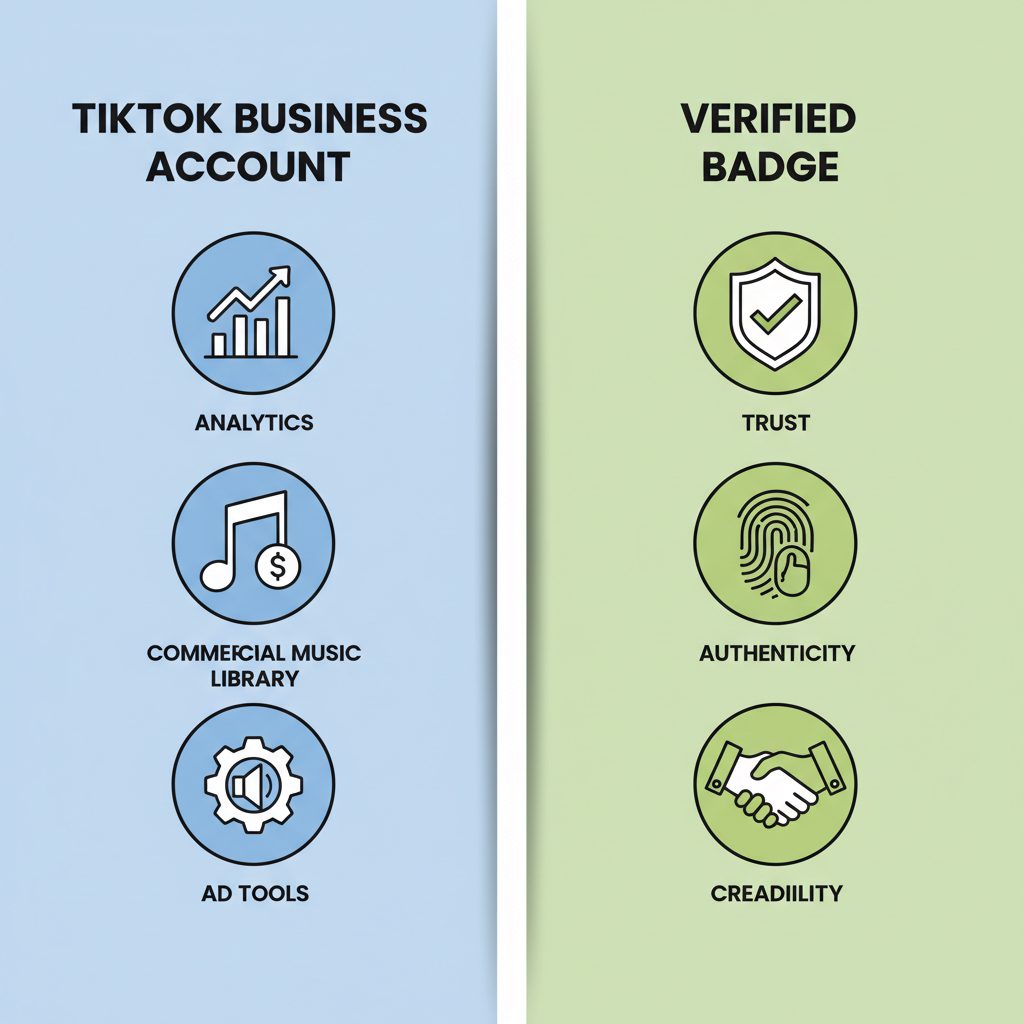
- Verified Badge (Blue Tick): This is a symbol of authenticity and notability. It is granted by TikTok after a manual review. It confirms the account is the genuine presence of a well-known person or brand. The badge is a status symbol that builds trust but offers no extra features.
- Business Account: This is a free account type that any user can switch to. It unlocks features like the Commercial Music Library, advanced analytics, and the ability to put a link in your bio (once you meet follower thresholds). A Business Account is a toolset, not a status symbol.
An account can be a Business Account without being verified, or it can be both. For a full breakdown, see our comparison of the TikTok Business Account vs. the Verified Badge.
Checklist Before Applying for TikTok Verification
Before you spend time applying or money on a service, run through this checklist. If you cannot tick every box, your chances of approval are low.
- Profile Audit: Is your bio complete and professional? Is your profile photo high-quality? Is your username consistent with your public name or brand?
- Content Check: Do you have a history of posting high-quality, original content that aligns with your brand? An empty or spammy-looking profile is an immediate red flag.
- Press Audit: Can you find at least five to ten articles about you or your brand in reputable, independent news sources? Search your name in Google News. If nothing comes up, you are not ready.
- Google Presence: What happens when a stranger searches for your name? This is exactly what TikTok's reviewers will do. Your search results should clearly and immediately establish you as a notable figure in your field.
- Account Security: Have you enabled two-factor authentication (2FA) on your account? TikTok requires this for verified accounts.
Frequently asked questions
How to get verification on TikTok?
To get verification on TikTok, you must prove your account is authentic and notable. You can apply for free via the 'Verification' option in your account settings, where you'll submit your ID and links to significant press coverage. Alternatively, if you meet the notability criteria, you can use a paid agency service to submit your application through a media partner portal.
What is TikTok verification?
TikTok verification is the process by which TikTok confirms that an account is the authentic presence of the notable public figure, celebrity, or brand it claims to represent. A successful verification awards a blue checkmark badge next to the account's username, signaling trust and authority to other users on the platform.
What about TikTok age verification?
TikTok age verification is a separate process from the blue tick badge. It is a safety measure where TikTok may require users to confirm their age using an ID or credit card to access mature content or certain features. This is about platform compliance and user safety, not notability or public status.
Why do I get a TikTok verification code text?
Receiving a TikTok verification code via text message is typically part of the two-factor authentication (2FA) or phone number confirmation process. This is a standard security feature to protect your account from unauthorized access and is not directly related to applying for the blue verification badge.
How do I verify my TikTok account?
To verify your TikTok account, navigate to 'Settings and privacy,' then 'Account,' and tap 'Verification.' You must fill out the application, provide a government-issued ID to prove your identity, and submit multiple links to reputable news articles that establish you as a notable public figure. Approval is not guaranteed.
What is the TikTok verification badge?
The TikTok verification badge is the blue checkmark icon displayed next to a username on their profile and in search results. This badge signifies that TikTok has confirmed the account is the authentic and official presence of the notable individual, brand, or entity it represents. It helps prevent impersonation and builds user trust.
Ultimately, the blue tick is a marker of external validation. Whether you apply through the app or use a service like the TikTok Verification Badge, the foundation is the same: build a public profile that news organizations want to cover. The verification badge follows that work; it does not create it.